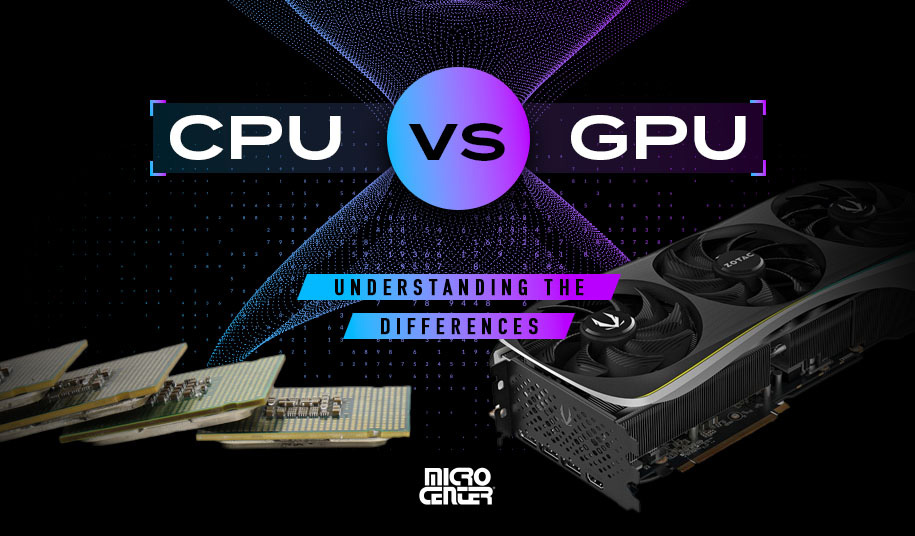
One of the most common mistakes gamers make is spending too much money on the wrong part. Some buy an extremely powerful GPU and pair it with a weak CPU. Others buy a high-end CPU and then run it with a budget graphics card. On paper, both systems look powerful. In real gaming, both can disappoint.
As someone who has tested gaming PCs across different budgets, I can say this clearly: gaming performance is not about the strongest single component — it is about balance.
A well-balanced CPU and GPU setup delivers smoother gameplay, better frame rates, fewer stutters, and longer system life. Let’s understand how this balance really works.
Why Balance Matters More Than Raw Power
Games do not use PC components equally. Some tasks go to the CPU, some to the GPU, and some are shared between both. If one part finishes its work quickly but the other struggles, performance suffers.
This is called a bottleneck. Bottlenecks do not break your PC, but they stop you from getting the performance you paid for.
A balanced system ensures that:
- The GPU is always busy rendering frames
- The CPU can feed data fast enough
- Neither component waits for the other
When balance is right, games feel smooth and responsive.
What the CPU Does in Games
The CPU handles game logic. This includes things like:
- Character behavior
- Physics calculations
- AI movement
- Background processes
- Communication with the GPU
In many modern games, the CPU workload is complex but not extremely heavy. What matters most is how fast the CPU can process instructions, not how many cores it has.
For gaming, strong single-core performance and good boost speeds matter more than very high core counts.
What the GPU Does in Games
The GPU handles visuals. It renders:
- Characters
- Environments
- Lighting
- Shadows
- Effects
- Resolution scaling
The GPU has the biggest impact on frame rate, especially at higher resolutions like 1440p and 4K. This is why most gaming budgets should focus more on the GPU than the CPU.
However, even the best GPU cannot perform well if the CPU cannot keep up.
Understanding CPU Bottlenecks
A CPU bottleneck happens when the CPU cannot process game data fast enough for the GPU. When this happens:
- GPU usage stays low
- Frame rates fluctuate
- Stutters appear
- High-end GPUs feel underwhelming
CPU bottlenecks are more common at lower resolutions like 1080p, where the GPU finishes rendering quickly and waits for the CPU.
Fast-paced games, simulation games, and open-world titles are especially CPU-heavy.
Understanding GPU Bottlenecks
A GPU bottleneck is simpler. The GPU is fully loaded and cannot render frames any faster.
This is not always a bad thing. In fact, a GPU bottleneck usually means your system is well-balanced for gaming.
At higher resolutions and graphics settings, most gaming PCs become GPU-limited. This is normal and expected.
Resolution Changes the Balance Completely
Resolution plays a huge role in CPU and GPU balance.
At 1080p, the CPU works harder relative to the GPU. Games produce more frames, so the CPU must keep up.
At 1440p, the load starts shifting toward the GPU. Balance becomes easier to achieve.
At 4K, the GPU does almost all the heavy work. Even mid-range CPUs perform well because the GPU becomes the main limitation.
This is why a CPU that feels weak at 1080p can feel perfectly fine at 4K.
Matching CPU and GPU the Smart Way
The goal is not equal pricing. The goal is equal workload.
For gaming-focused builds, it makes sense to spend more on the GPU and choose a CPU that is strong enough to support it.
Overspending on the CPU usually gives very small gaming benefits. Overspending on the GPU usually gives visible improvements.
Practical Balance Examples
A mid-range GPU paired with a mid-range CPU usually delivers excellent 1080p and 1440p gaming.
A high-end GPU needs a reasonably fast CPU, but not necessarily the most expensive one.
Ultra-high-end CPUs mainly help in:
- Competitive esports gaming
- CPU-heavy simulation games
- Streaming while gaming
For most gamers, mid-to-upper-mid CPUs are more than enough.
Frame Rates vs Frame Consistency
Many people focus only on average FPS. This is a mistake.
Frame consistency matters more than peak numbers. A balanced CPU and GPU setup produces:
- Stable frame times
- Fewer sudden drops
- Smoother camera movement
An unbalanced system may show high average FPS but still feel choppy.
In testing, systems with slightly lower FPS but better balance often feel smoother than higher FPS but poorly balanced builds.
Game Type Matters More Than Benchmarks
Different games stress hardware differently.
Competitive shooters depend more on CPU speed and latency.
Open-world games stress both CPU and GPU heavily.
Strategy and simulation games lean heavily on the CPU.
Graphically rich single-player games stress the GPU more.
This is why no single CPU-GPU combination is perfect for everyone.
Background Tasks Can Break Balance
Modern gaming PCs often run many background tasks:
- Game launchers
- Voice chat
- Screen recording
- Streaming software
These tasks consume CPU resources. A CPU that is just barely enough for gaming may struggle once background apps are added.
A little extra CPU headroom improves stability and smoothness.
Upgrading Without Breaking Balance
When upgrading, it is important to think ahead.
Upgrading only the GPU may expose CPU limits.
Upgrading only the CPU may show little gaming improvement.
The best upgrade path is gradual and balanced. Small improvements on both sides usually feel better than a massive upgrade on one side.
Common Balance Mistakes
One common mistake is pairing a flagship GPU with a budget CPU. Another is buying a workstation-class CPU for gaming.
Many builders also ignore resolution when choosing parts, which leads to poor value.
Balance is about how parts work together, not how impressive they look individually.
The Real-World Rule of Thumb
For most gamers in 2025:
- Prioritize GPU first
- Choose a CPU that comfortably supports it
- Avoid extreme mismatches
- Consider your resolution and game types
A balanced system feels faster, smoother, and more enjoyable — even if the numbers are lower.
Final Thoughts from a Gaming Hardware Perspective
Maximum gaming performance does not come from chasing the fastest parts. It comes from smart pairing.
A well-balanced CPU and GPU setup delivers consistent performance, fewer stutters, and better long-term value. It also gives you flexibility for future upgrades without replacing everything.
In gaming, balance beats brute force every time.